Reading History
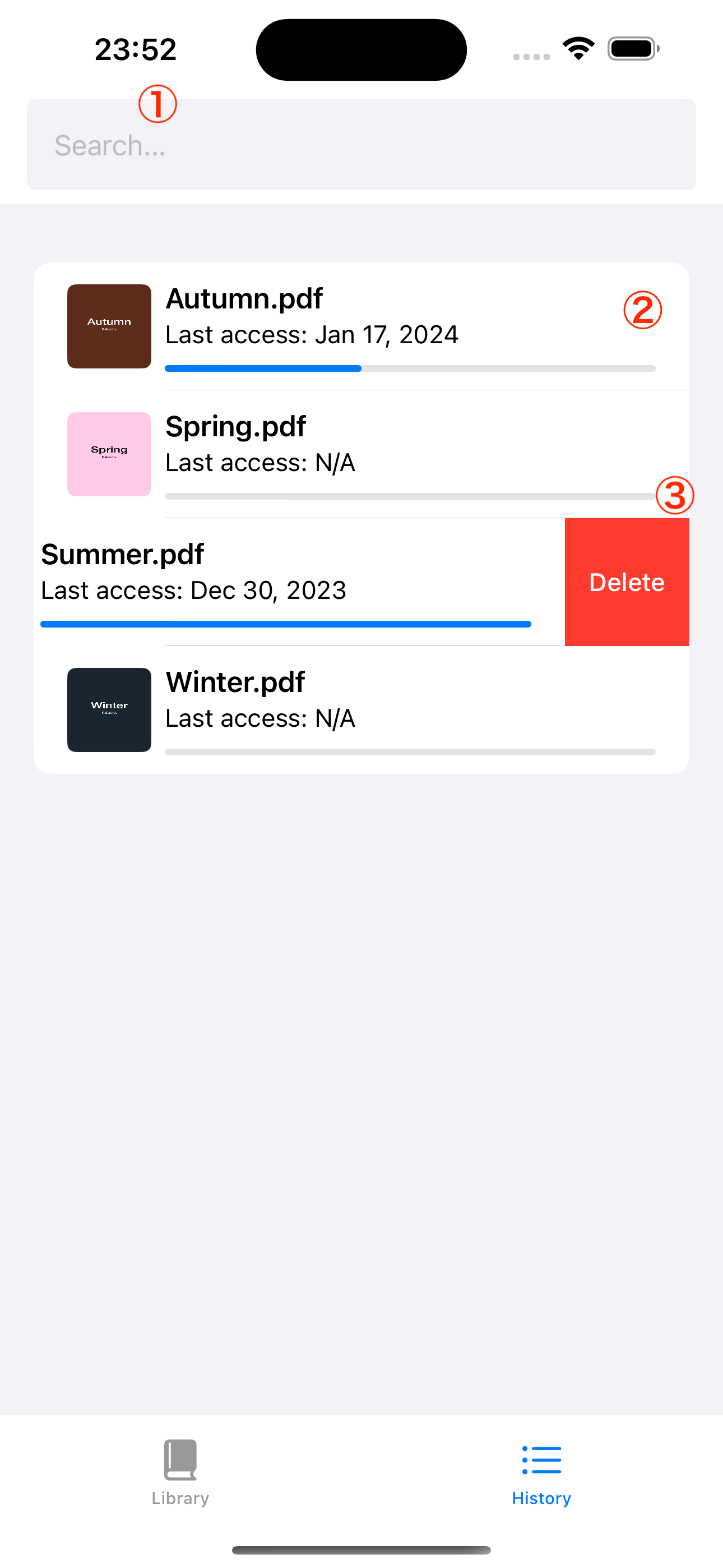
The History screen allows you to look back at your previous reading history. This history is retained even if the PDF is deleted from the device, making it easy to review the PDFs you have read.
Screen Overview
| # | Component | Description |
|---|---|---|
| 1 | Search Bar | Filter by reading history |
| 2 | Reading History | Displays thumbnails, last access date, and progress rate |
| 3 | Delete Button | Delete reading history entry |
Search
Enter text in the search bar at the top of the screen to filter your reading history by matching file names.
Delete History
You can delete individual reading history entries:
- Swipe left on the history entry you want to delete
- Tap the Delete button that appears
note
Deleting a history entry only removes the record from your reading history. If the PDF file still exists in your Library, it will not be affected.